Complete document preparation solution for InDesign
InPreflight Pro $12995/Studio $9995
InPreflight Pro is bundled with FREE Graphic Inspector ($39.95 value)
Save 10-20% on product bundles
InPreflight is a powerful all-in-one solution to check InDesign documents
and prepare them for final output and shipping
NEW! InPreflight Pro is now bundled with FREEGraphic Inspector - a valuable addition to your workflow to check all images and vector graphics independently from InDesign ($39.95 value)
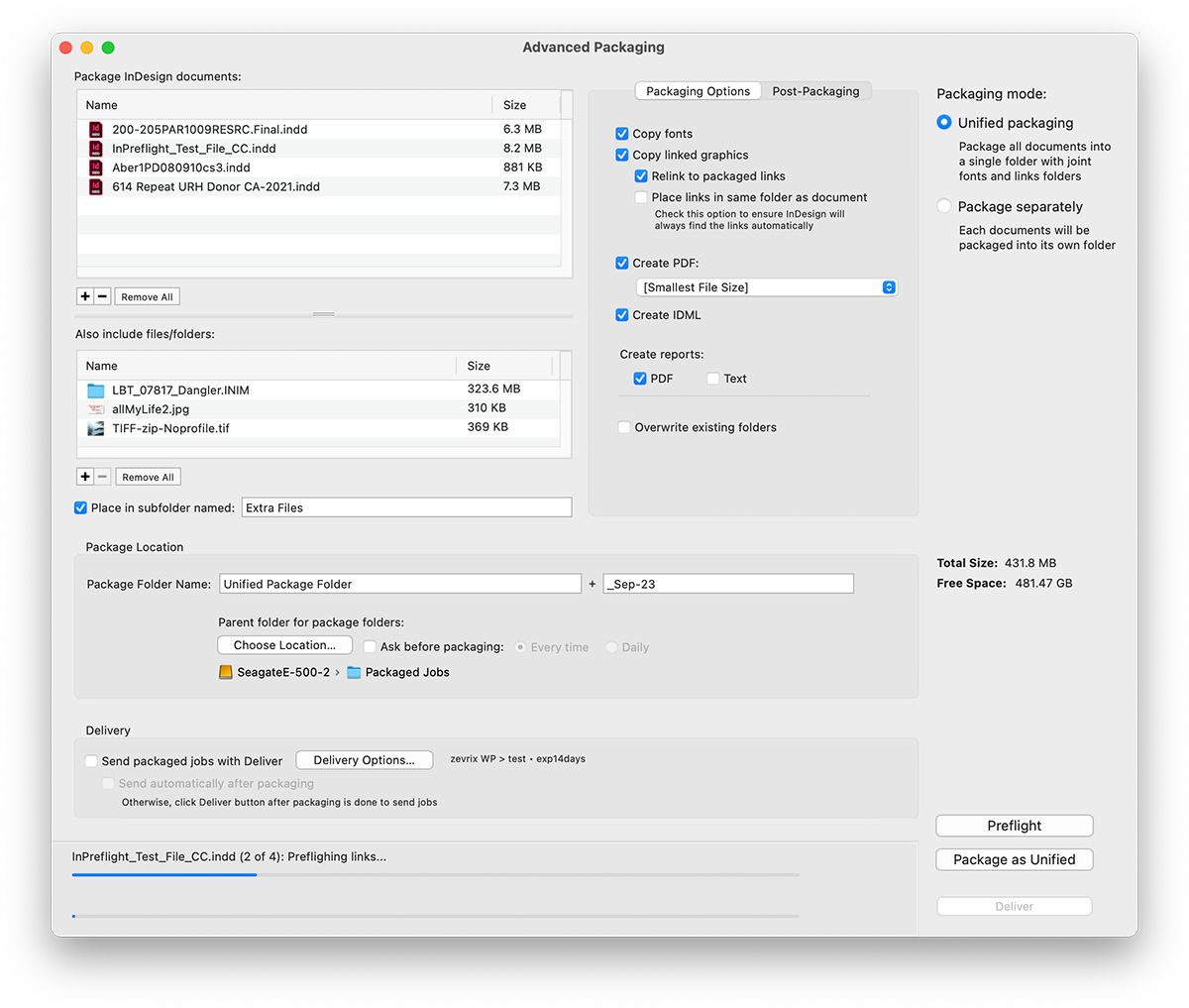
Package multiple InDesign jobs
InPreflight Pro is the only program that can preflight and package multiple jobs. Among other abilities, it can collect all files into one folder, eliminating the need to collect the same links multiple times for each design. The savings can result in gigabytes of space and hours of production time.
Preflight InDesign documents
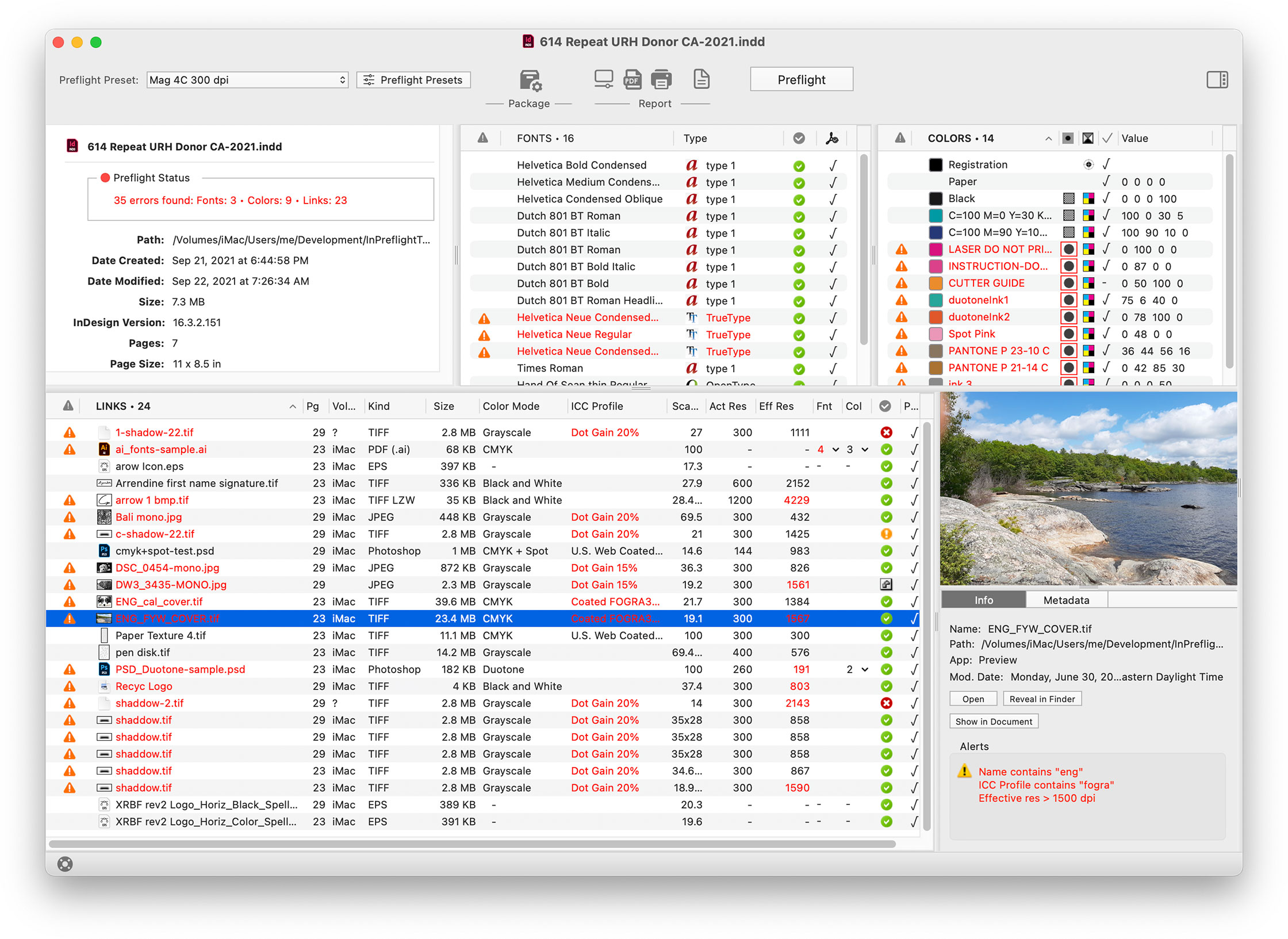
InPreflight quickly checks all document elements and lets you instantly locate potential problems according to user-defined preflight presets. In one window, InPreflight shows detailed info on all your fonts, colors and links so you don't need to switch between several windows and palettes.
Print and save graphic PDF reports
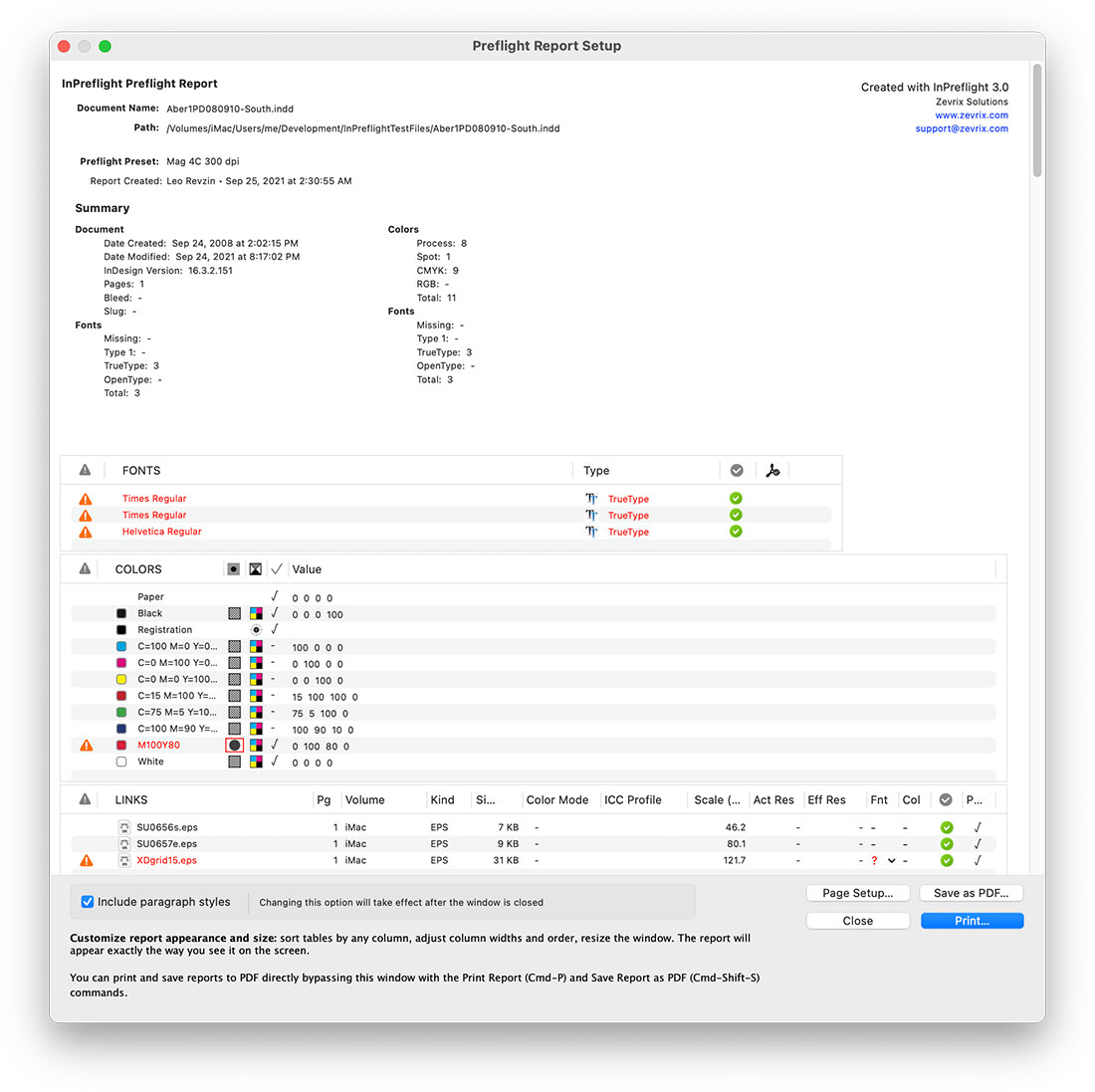
InPreflight lets you print graphic preflight reports and save them as PDF, providing an easy way to analyze, archive and send reports to service providers.
Automate packaging of multiple documents with the option to collect them all in one folder or separately.
Collect all mutual files into one folder, so you don't need to collect the same links multiple times for each design, which can save gigabytes of disk space and hours of production time
.
...or collect each job into separate folder automatically..
Add external files and folders to packages.
Preflight
Quickly check document's fonts, colors and links. InPreflight is on average 2 - 10 times faster than FlightCheck.
Sort preflight results by any attribute. Links
Get extensive info on links attributes.
Reveal potential problems not reported by InDesign, such as TIFF compression and embedded fonts (view detailed list ).
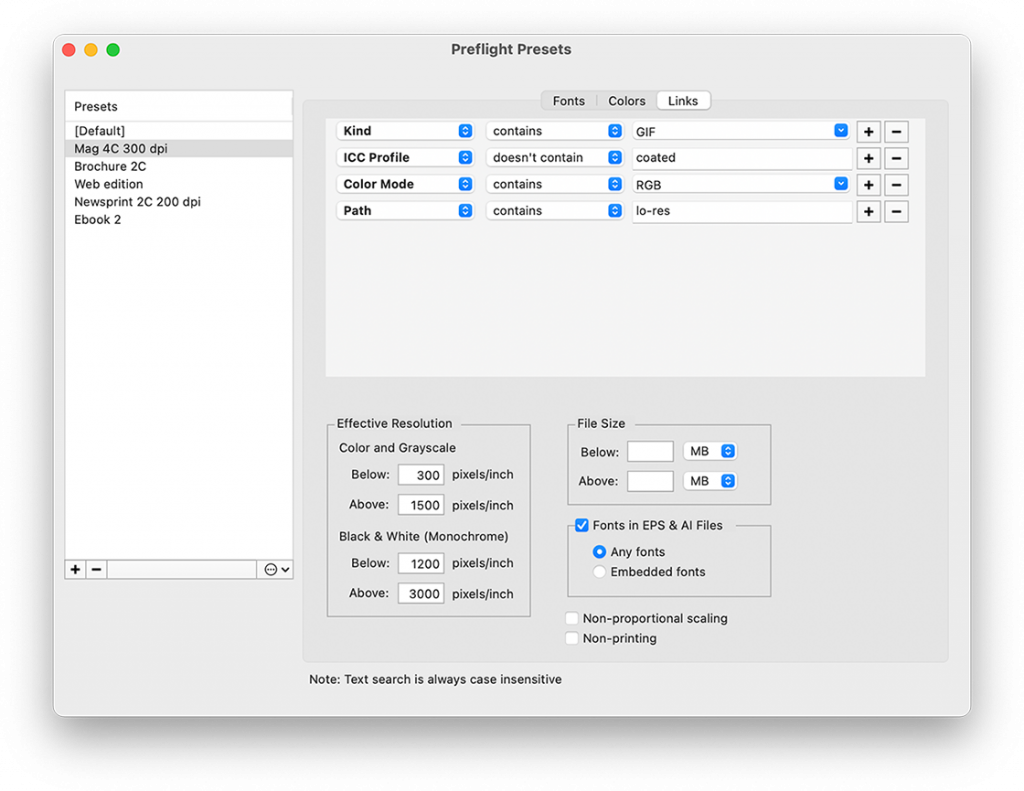
Warn about "forbidden" names and locations. For example, warn about links which are not located in the folder "Hi-Res", or whose name contains "_random". Colors
Check color space, model, value and used status.
List unnamed colors.
Check documents for Registration color used in text. Fonts
Check font type, status and PDF embedding permissions.
Preflight Presets
Create preflight presets for various job types, such as newspapers, magazines and spot color brochures.
Reassess preflight results with different presets.
Reports
Print and save reports as interactive PDF.
PDF report is like a copy of InPreflight with detailed link info saved in PDF comments.
Interactive report setup.
Include complete Paragraph Styles report.
Save text-only reports.
InPreflight helps reduce production time, save disk space and protect from potential disasters with many features unavailable in InDesign
Package multiple jobs
InPreflight Pro is the only program that can preflight and package multiple jobs. Among other abilities, it can collect all files into one folder, eliminating the need to collect the same links multiple times for each design. The savings can result in gigabytes of space and hours of production time.
Embedded fonts in Illustrator files can cause costly delays and confusion if you send packaged InDesign jobs to service providers. The fonts are indeed embedded in Illustrator files so they can be printed without the actual fonts being installed. However, if users try to open the files in Illustrator, the fonts will be reported as missing - even though they are embedded.
Your printer will require you to provide missing fonts, which can result in additional charges and missing deadlines, which can translate into hundreds of dollars lost.
Detect TIFF and EPS compression
TIFF and EPS images can be saved with various compression options (LZW/ZIP/JPEG and JPEG respectively). Compressed images can be incompatible with various output equipment, such as imagesetters and printers of certain models. It applies to both collected images and the ones used in PDF files.
These problems can result in costly delays, missing deadlines and additional charges by service providers.
Detect illegal link names and locations
Depending on your workflow, you may store links in specifically named locations, or name them in certain way. For example, your lo-res link can be stored on the LO-RES OPI volume. Or your random scans have the text "_random" appended to their names. Such links can end up in your final InDesign files by mistake.
If left undetected, they can cause a wide range of problems - from missing deadlines and service charges, to costly reprints and even lost clients. Which can translate from hundreds to hundreds of thousands dollars lost.
InPreflight can detect illegal names and locations according to your workflow specs, saving you from potential disasters.
InPreflight reportsare easy to analyze and understand... they look just like interactive screnshots of the InPreflight window. You can instantly print them or save as PDF files.
Much more...
InPreflight reports many more link attributes not shown in InDesign, such as color mode of Illustrator files, raster EPS resolution, spot solors in Duotone and DCS files and others (you can find the detailed list in InPreflight user guide).
InPreflight Pro vs. InPreflight Studio
Advanced Packaging is not available in InPreflight Studio.
All other functionality is identical.